Optimizing Irrigation in Almond Orchards Using AI-Powered Embedded Systems
By: Anvi Kudaraya
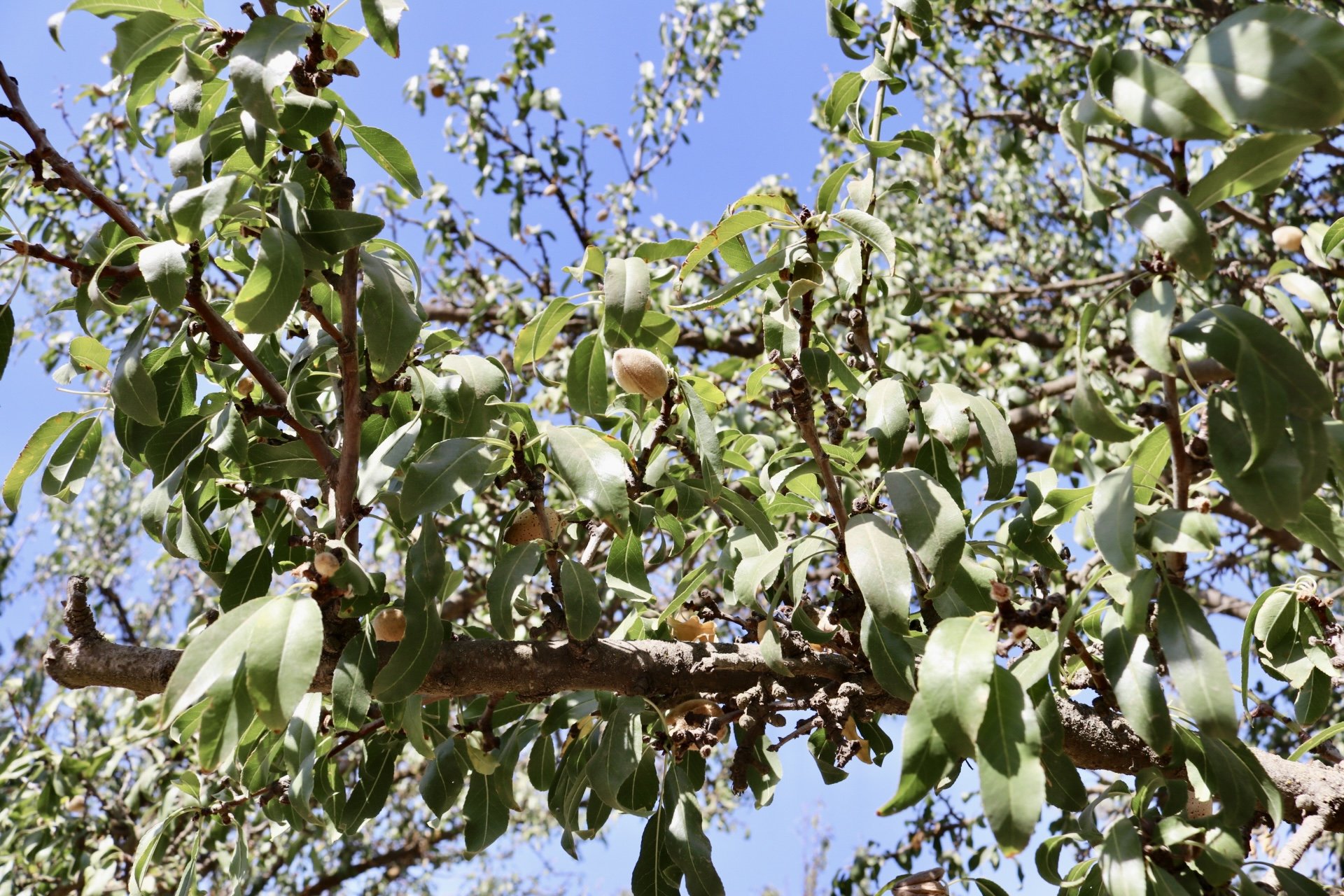
Almond fields in Parlier, California
Photo by Lauryl Gonzalez.
System Integration and Automation
The full system operates through an automated pipeline:
Sensor data is collected hourly and saved in CouchDB.
Regression models (Linear and Gaussian Process Regression) simulate the soil-water environment and track how moisture changes in response to irrigation, ET, and precipitation.
The RL model is retrained daily, improving its ability to generate irrigation schedules using updated data.
Python APIs and a Linux task scheduler control irrigation timing through a smart valve, with built-in retry logic and logging.
Remote monitoring tools, including cameras and ESP32 modules, enable hands-off validation and field deployment.
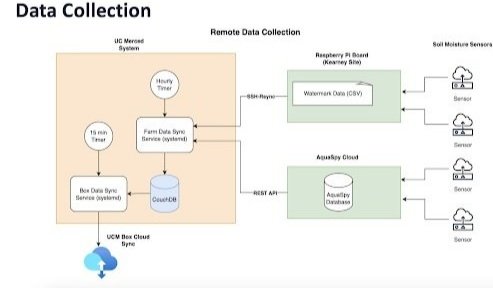
Part 1: Where the Data Comes From, the Farm (Right Side)
Soil Sensors
These are devices placed in the ground near the almond trees. They collect important information about the soil and environment, such as:
How wet the soil is (soil moisture)
How hard it is for tree roots to extract water (soil water potential)
Soil temperature and salinity
There are two main types of sensors:
AquaSpy sensors send their data directly to their AquaSpy cloud.
Watermark sensors send their data to a small computer placed at the farm called a Raspberry Pi, which stores it in spreadsheet-like CSV files.
Part 2: The Raspberry Pi on the Farm
The Raspberry Pi is a small, low-power computer that stays at the farm. It collects and saves data from Watermark sensors in a format called CSV (a simple text-based data table). This data later gets transferred to the university for further processing.
Part 3: How the Data Moves to UC Merced
There are two ways the data travels from the farm to the university:
Watermark data (saved on the Raspberry Pi) is transferred to UC Merced using a secure connection called SSH-Rsync, which is like sending files from one computer to another.
AquaSpy data is already in the cloud. The university pulls this data using the AquaSpy REST API, which is a standardized way for applications to communicate over HTTP.
Part 4: UC Merced’s System (Left Side)
Farm Data Sync Service
This service runs once every hour. It collects the data from both the Raspberry Pi and the AquaSpy cloud and stores everything in a database called CouchDB. This database organizes the data so that it can be easily accessed and used for training the AI model and monitoring the irrigation system.
Part 5: Final Storage in the Cloud
All of the sensor data ends up in Box Cloud, where it is safely stored and can be accessed by researchers. This data is used to:
Train the reinforcement learning model
Monitor how soil and tree conditions change over time
Improve irrigation decisions based on real-time data
Why This Is Important
This system makes data collection automatic, reducing the need for constant manual checks in the field. It ensures that data is always up to date, properly backed up, and available for analysis. Most importantly, it enables the AI system to learn and make smarter irrigation decisions that save water and support healthy crop growth
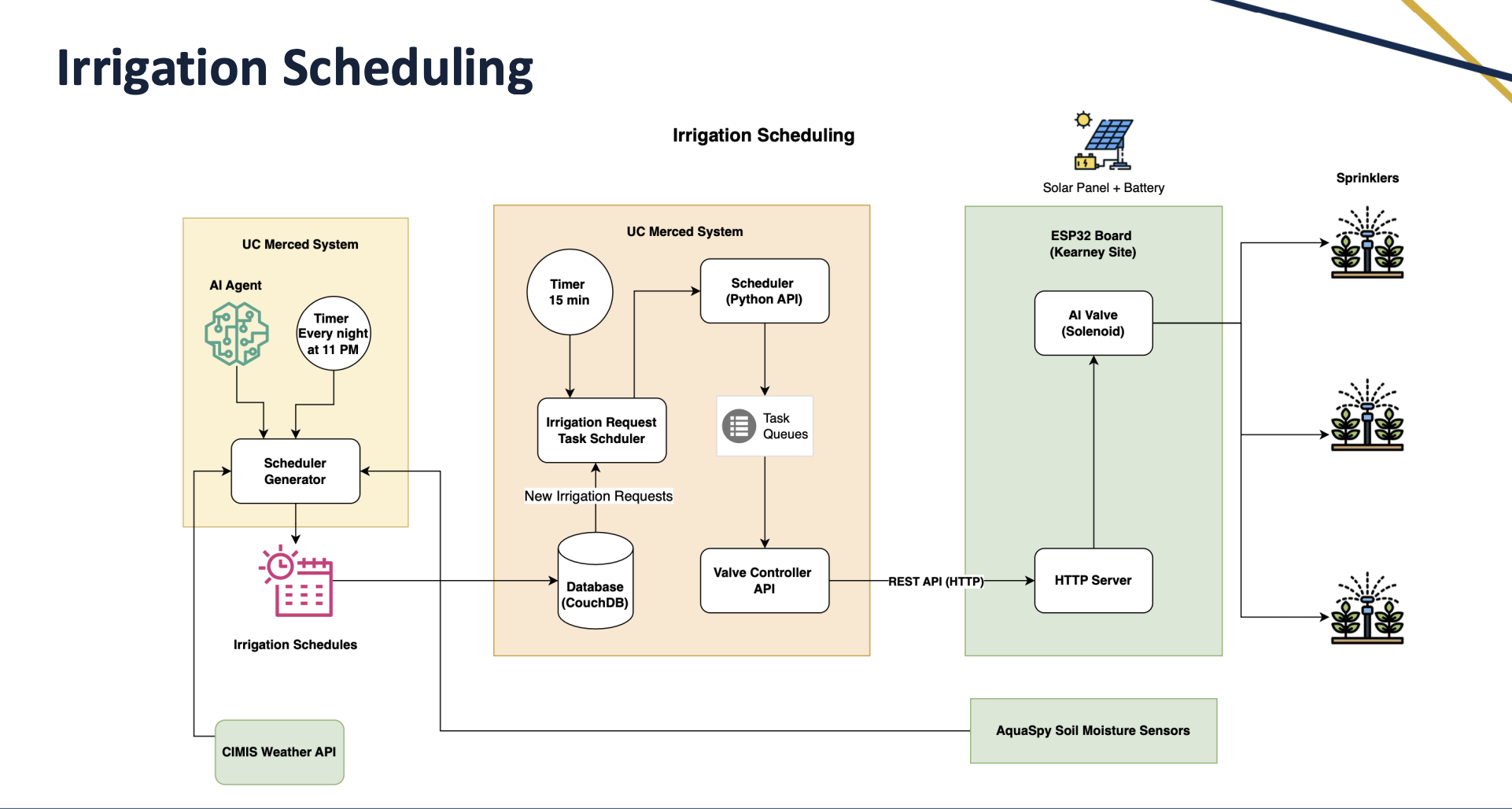
This diagram explains how the AI-powered irrigation scheduling system works, from the moment data is analyzed to the point where water is delivered through the farm’s sprinklers. It shows how the AI makes decisions and how those decisions are carried out automatically in the field.
Part 1: Irrigation Schedule Generation (Left Section)
AI Agent (UC Merced System)
Every night at 11 PM, the AI model reviews the latest data (soil moisture, weather, etc.).
Based on this data, it generates an irrigation schedule, how much water should be delivered, to which rows or trees, and when.
For ET Based Irrigation calculation, the system pulls out ET loss from CIMIS API and calculates the irrigation amount and timings.
Scheduler Generator
This component turns the AI’s decision into a specific schedule of tasks.
It also uses data from the CIMIS Weather API to factor in evapotranspiration and forecasted weather.
Part 2: Task Scheduling and Queue Management (Middle Section)
15-Minute Timer
Every 15 minutes, a program checks the database (CouchDB) to see if there are any new irrigation tasks.
Irrigation Request Task Scheduler
If new tasks exist, it sends them into a task queue, managed by the Scheduler (Python API).
This ensures each irrigation command is sent out in the correct order, at the right time.
Valve Controller API
This service prepares the commands and sends them (using HTTP REST API) to the smart irrigation valve at the farm.
Part 3: Field Execution (Right Section)
ESP32 Board (at Kearney Site)
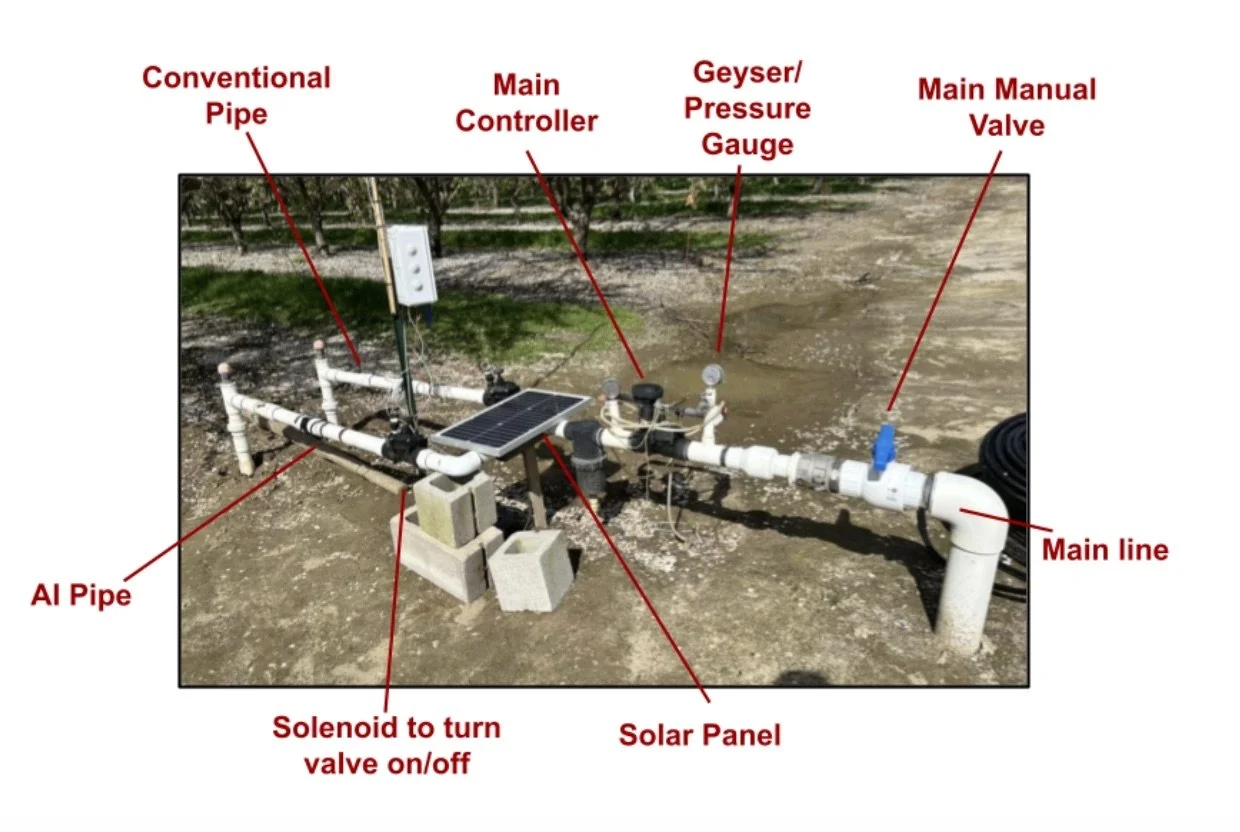
This is a microcontroller board installed on the farm. It runs on a solar panel and battery for off-grid operation.
It listens for irrigation commands sent over the internet.
Supporting Sensors and Feedback
The AquaSpy soil moisture sensors keep monitoring the soil.
After irrigation, the system observes how the soil and tree conditions change.
That feedback helps the AI learn and adjust future schedules to become more efficient.
Where and How Are They Stored?
Once the AI creates these tasks, they are stored in a CouchDB database located on the UC Merced system.
Here’s what that process looks like:
Scheduler Generator (runs nightly):
Reads data from AquaSpy, Watermark, and CIMIS
Computes optimal irrigation plan
Writes the new tasks into CouchDB
2. Irrigation Request Task Scheduler (runs every 15 minutes):
Queries the CouchDB database
Looks for unscheduled or new irrigation tasks
If it finds any, it adds them to a task queue managed by the Scheduler (Python API)
3. The Scheduler then:
Sends each task to the Valve Controller API
Which sends it via HTTP to the ESP32 board on the farm
Which then opens the AI Valve (Solenoid) to irrigate
AI Valve (Solenoid)
Once it receives the command from the ESP32, the solenoid valve opens or closes.
This allows water to flow to the sprinklers, watering the trees exactly as instructed by the AI.
What Are the “New Irrigation Tasks”?
New irrigation tasks are instructions created by the AI each night that tell the system what to irrigate, how much water to use, and when to do it. Each task is essentially a small job that the system must complete. A single irrigation task includes:
Start time (e.g., irrigate at 6:00 AM)
Duration or amount (e.g., irrigate 0.2 inches of water or for 30 minutes)
Location or zone/row/tree group
Status (e.g., pending, scheduled, completed)
These tasks are the result of the AI Scheduler Generator, which runs every night at 11 PM. It calculates the optimal irrigation plan for the next day based on:
Soil moisture data
Weather forecasts (from CIMIS)
Plant water needs